
Every budget season, the same question reaches the board: should this money go to programs or to the website? It can feel like a choice between mission and overhead. But for most organizations, the website is where supporters check your credibility, respond to appeals and decide whether to give.
We see many of our clients budgets range from $10,000 to over $100,000 for web and digital projects, depending on the scope and complexity and ongoing support requirements.
When the site does not work, it quietly costs you donations every day. This nonprofit website budget guide helps executive directors, development directors and board members frame design as fundraising infrastructure, with a phased plan the board can approve.
In short: A website that does not work does not raise money. Frame your nonprofit website budget as fundraising infrastructure, not overhead. Document a baseline, tie each investment to goals in your fundraising plan, phase the work around your fiscal year and grant cycles, and report on outcomes the board already cares about.
Why boards underfund nonprofit websites
Most boards do not undervalue the website on purpose. It slips down the list because website spending sits in the same column as rent and software, where every dollar feels taken from programs.
Habit plays a part too. The site gets treated as a one-time project, left alone for years and then rebuilt in a rush when something breaks. We see this pattern often: the redesign keeps getting postponed until the old site becomes an emergency. Ownership is split: communications runs the site, development owns revenue, and nobody owns the connection. And the losses are hard to see. The board sees the invoice. It never sees the donor who gave up because the site was confusing.
The program-versus-infrastructure tradeoff is real, but it is often misframed. Your donor database, your development staff and your website are not competing with programs. They are how program dollars get raised. A board that would never ask the development team to work without phones should not ask it to fundraise without a working website.
The real problem: a site that does not work does not get donations
The more useful question is not “what will a new site cost?” but “what is the current site costing us?” Most development teams already know the answer.
An appeal email sends supporters to a page that does not match the message they just read. A foundation officer mentions that she could not find your impact information or financials. A campaign launches with last year’s content still up, because staff need a developer to update pages. Visitors arrive on their phones from a social post and leave before they understand what you do. Some supporters still mail checks or call the office, because giving online feels uncertain.
Each of these is a fundraising problem that shows up as a website problem. Naming them in fundraising terms is the first step in making the budget case.
What design investment buys for fundraising
Good design is not decoration. Its first job is mission clarity: a visitor should understand within seconds who you help, how you help and why it matters. No ask lands without it.
Trust comes next. A consistent brand, current content, visible impact and easy-to-find transparency information remove doubt at the moment someone decides to give. Then structure does the work. When navigation follows what supporters want to do, every path from a first visit to a gift has an obvious next step. Mapping those paths is the core of a nonprofit website strategy.
Staff feel the last two benefits most. Flexible page templates let your team launch an appeal, event or year-end landing page in days instead of weeks, in your brand and on message. And a content management system people can actually use, built on a fast, secure and accessible foundation, keeps the site fundraising-ready in the years between redesigns.
The giving page matters, but it is the last step of a much longer path. For the details of the form itself, see our guide to donation page design. This guide covers the budget that makes the whole path work.
Build a board-ready budget case
Boards approve plans, not price tags. A strong case answers members’ questions before they ask them, and it usually follows the same order:
- Document the baseline. Pull 12 months of data: visits, online gifts and revenue, the online share of total giving, top entry pages and recent campaign page results. Add staff hours lost to workarounds and a few direct quotes from donors or colleagues.
- Tie the site to approved goals. Pick two or three, such as growing monthly donors or a capital campaign, and show which improvements serve each.
- Offer scope options. Two or three, from targeted fixes to a full rebuild, with what each solves and leaves unsolved.
- Phase the work into what happens this fiscal year and what can wait until next.
- Budget for life after launch, with a line for maintenance and improvement, not only the build.
Be honest about the cost of waiting, too: missed campaign windows, rising upkeep on an aging platform, security exposure, staff time and another year-end season on a site that underperforms. Then fit it all on one page: the problem, the goal, the options, the recommended first phase and how you will report back. Members who are not web experts can still weigh a clear tradeoff.
Phase your nonprofit website budget around fiscal years and grants
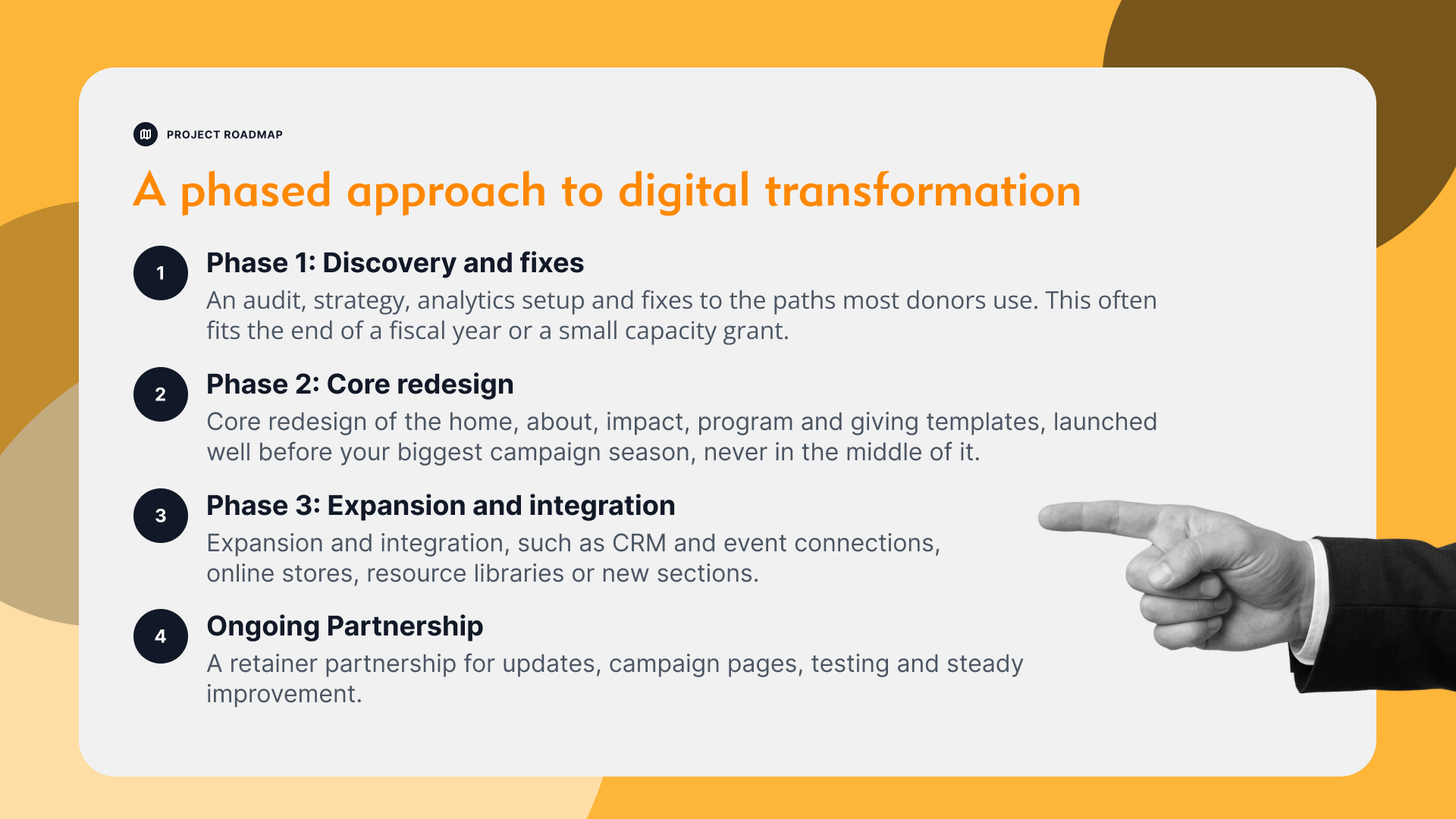
You rarely need to fund everything at once. A phased scope spreads the cost and lets each stage prove its value before the next is approved. In our work with nonprofits, we often recommend starting with discovery so the board has real data before a larger build. A typical sequence looks like this:
- Phase 1: Discovery and fixes. An audit, strategy, analytics setup and fixes to the paths most donors use. This often fits the end of a fiscal year or a small capacity grant.
- Phase 2: Core redesign of the home, about, impact, program and giving templates, launched well before your biggest campaign season, never in the middle of it.
- Phase 3: Expansion and integration, such as CRM and event connections, online stores, resource libraries or new sections.
- Ongoing: a retainer partnership for updates, campaign pages, testing and steady improvement.
Grants can help. Capacity-building, technology and communications grants from foundations sometimes cover website work, and capital campaign budgets may include a campaign site. Match each phase to a deliverable a funder can see, and check grant timing and reporting terms before you commit. Ask your design partner for a scope broken into phases that each stand on their own, and review the plan at each stage as priorities change.
For example, LightMix rebuilt the website for the National Veterans Legal Services Program (NVLSP) on WordPress, migrated content from a legacy platform and added streamlined online donation capabilities.
Refresh, redesign or ongoing partnership: which fits?
The right scope depends on what is broken. If the platform is sound, the brand is current and the structure mostly works, a targeted refresh is usually enough. The problems tend to be specific: an unclear home page message, outdated impact content or campaign pages that fall flat.
A full redesign makes sense when the trouble runs deeper. Maybe the platform is outdated or hard to edit, or the site structure no longer matches your programs. Perhaps the brand has changed, mobile is poor or several patched systems need to become one.
A site in good shape that needs steady campaign support, content updates, small improvements and technical care is a fit for an ongoing retainer partnership, which also protects the investment after a redesign.
For the Brisben Center, a Fredericksburg, Virginia, shelter, a full redesign was the right fit: LightMix redesigned the WordPress site with streamlined content and navigation, online donation options and volunteer and event information. Many organizations combine approaches: a redesign, then a retainer, so the same team that knows the site keeps it working.
How to measure success without invented ROI
Do not promise the board a percentage lift. Promise a measurement plan, and set a baseline before work begins.
A short set of numbers is enough to tell the story:
- Online revenue and gift count, compared with the same period last year
- Revenue per visitor and donation page conversion rate
- New monthly donors
- Campaign page results, comparing visits with completed gifts on each page
- Staff time to launch a campaign page, and hours lost to website workarounds
Round it out with feedback from donors, funders and board members.
Benchmarks give context, not targets. In the M+R Benchmarks 2026 study, which covers 2025 data, nonprofits averaged $1.33 in revenue per website visitor. Your own trend line matters more. Online gifts are often prompted by mail, email or events, so look at overall giving trends rather than crediting the website alone.
Report results to the board each quarter. When the website is a regular agenda item, it stops being a once-a-decade emergency.
Nonprofit Website Budget Guide FAQ
How much should a nonprofit budget for a website?
It depends on scope, not on a fixed percentage. Build the budget from your goals: discovery and strategy, design and development, content, integrations and ongoing care after launch. Ask design partners for phased options so the board can approve the work in stages.
Is website spending a program cost or overhead?
A website supports fundraising, programs and communications at once. Many organizations allocate its cost across those functions. Ask your finance team or auditor how to allocate it, and present it to the board as fundraising infrastructure.
Can grants pay for a nonprofit website redesign?
Sometimes. Capacity-building, technology and communications grants can cover website work, and capital campaign budgets may include a campaign site. Check eligibility, timing and reporting terms, and tie each phase to a deliverable the funder can see.
Should we refresh our website or redesign it?
Refresh when the platform, brand and structure are sound and the problems are specific. Redesign when the platform is outdated or hard to edit, the structure no longer fits your programs or the mobile experience is poor.
How do we show the board the website is working?
Set a baseline, then report each quarter on online revenue and gifts, revenue per visitor, new monthly donors, campaign page results and staff time saved. Compare against your own past results rather than promising a fixed return.
What does an ongoing website retainer cover?
A retainer is tailored to your needs. It typically covers content and design updates, campaign landing pages, technical maintenance and security, small improvements and strategic advice from a team that already knows your site.
A website budget is easier to approve when the board sees a plan, not a price tag. LightMix works with nonprofits as a strategic digital partner, with strategy, branding, design, development and ongoing support from one multidisciplinary team under a flexible retainer. We tailor phased scopes to your fiscal year and fundraising calendar, so the site keeps working long after launch. Clutch named LightMix a Top Web Design Company for Nonprofits in Washington DC and Virginia for over 5 years in a row. See how we approach nonprofit website design, or ask for a proposal you can bring to your board.